

Documentation Index
Fetch the complete documentation index at: https://initialabs-mintlify-changelog-interwovenkit-1777853576.mintlify.app/llms.txt
Use this file to discover all available pages before exploring further.
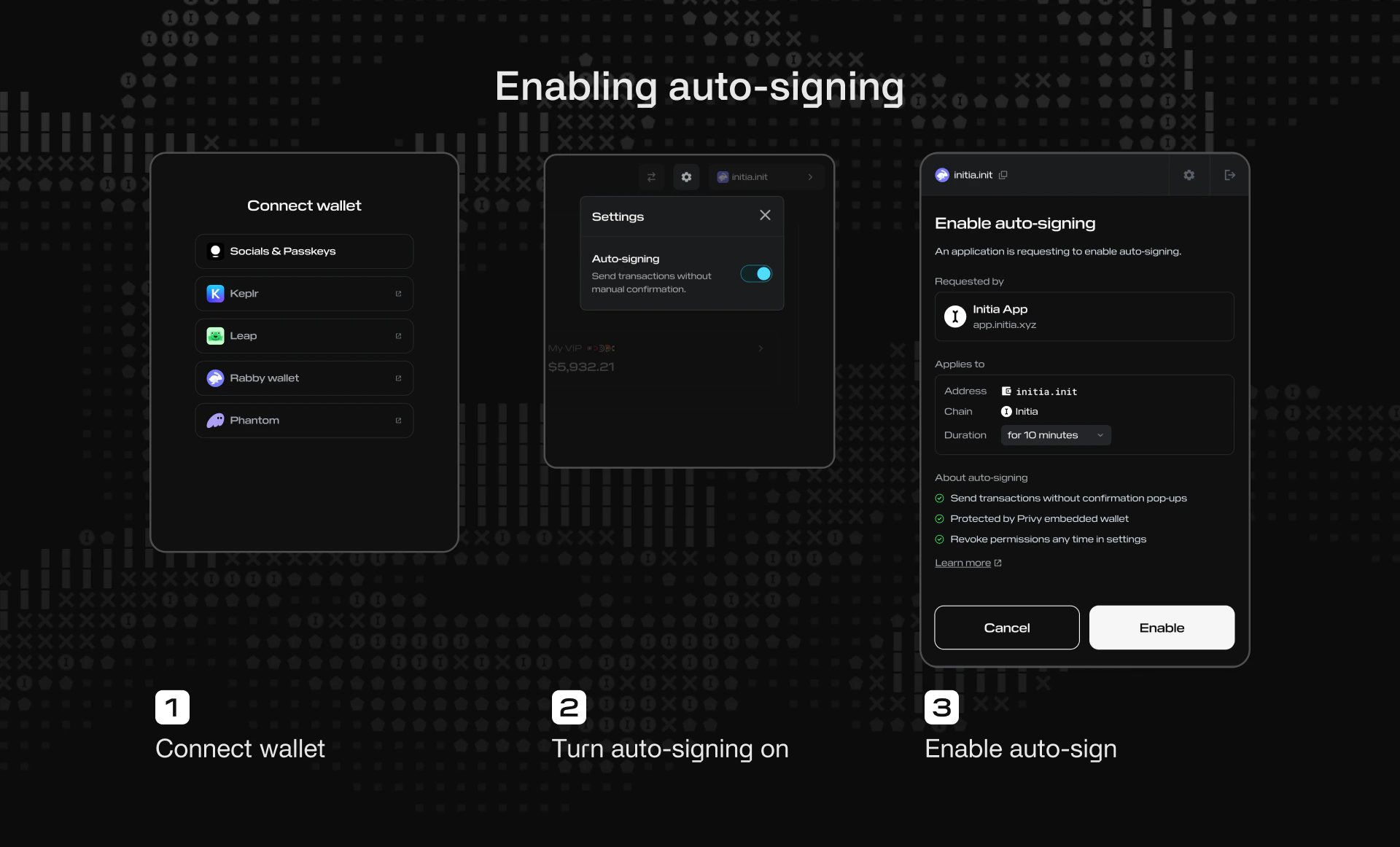
- Click “Connect Wallet” and select your wallet of choice.
- Activate auto-signing from the app.
- This will open a permission window with the following information and
options:
- Requested by: The name and logo of the chain requesting to enable auto-signing
- Auto-signing duration: How long auto-signing will be active